Planning

Big journeys start with simple steps. By investing the time necessary to prepare the optimal Kick-off Meeting, we can set a winning course and tone for the rest of the implementation project. The planning stage of an eHub is crucial to its long-term success. The following sections have been designed to help guide you through the topics that will help you set up for an optimised eHub.

Planning your eHub

High performing eHubs need teams to:
  • Decide and understand your eHub goals
  • Communicate the eHub goals to your wider team
  • Align on KPIs and metrics to monitor and track success
  • Deliver structured project management with assigned deadlines and accountability
  • Understand the constraints and the gap between where you are now, verses where you want to be

Finance

 
If PCNs do not take advantage of or understand the funding made available to them, then they run the risk of under investing in their PCN. There is also the risk of generating surplus that causes a potential tax liability to the member practices.  This section demonstrates how to leverage the funding available to finance your eHub.

PCN Finance Introduction

PCN finances have evolved over the years to include more funding pots that recognise Leadership and Development, increases in the additional role reimbursement scheme budget and more latterly Capacity and Access payments. This section will summarise the various funding pots to help you identify whether there is resource available to fund an eHub.

The below funding streams could be used to support the necessary change management and infrastructure changes to support an eHub.

Top tips:

The Practice and Primary Care Network (PCN) income ready reckoner for 2023/24 resource will give you an indication on which funding streams your PCN.

By selecting the calculator tab and your PCN details, the calculator will give a full breakdown of available funding. 


White background

PCN Capacity and Access Support Payment

This was announced in the 23/24 financial year and taps into a national resource worth £172.2m. The funding is unconditional and is paid monthly. An average sized PCN could see funding in the region of £11,500 per month. 

White background

PCN Capacity and Access Incentive Payment

This is a locally agreed payment based on an access plan and meeting those requirements. It could be an opportunity to resource an eHub to improve access for patients. The national funding is £73.8m for this payment.

White background

Leadership and Management Support

This fund could be utilised to buy in additional staff resource to support change management and project resource. Implementing change is a major commitment and it is vital that a PCN invests in the necessary support when system changes are being considered.

White background

Digital and Transformation Lead

A Digital and Transformation Lead is now recognised as an ARRS funded role. This gives a great opportunity for PCNs to either recruit to this position or sub-contract to another entity to provide this resource. Having a DTL onboard can provide the necessary advice and expertise for PCNs to understand their digital infrastructure and requirements.  

White background

Investment and Impact Fund

The total pot of IIF for 23/24 has substantially reduced in lieu of recycled funds into the Capacity and Access Support payments. There are now five indicators one of which is related to Access (ACC-08) in offering an appointment within 2 weeks. 


How can eConsult help you to maximise this funding?

For some PCN Clinical Directors, much of the thinking required for service design and workforce planning needed to set up super efficient at-scale working will be relatively new to them, considering PCNs are still in their infancy. Some Directors may be more used to thinking about service delivery from the perspective of a single practice or may not have access to suitable resources for change management on a wider scale.

As pioneers of the eHub model, we have over five years of expertise in setting up and running eHubs, and extensive experience in supporting the deployment of eHubs across the UK.

We can help you set up and configure an eHub based on your needs: we have in-house clinical and transformation consultancy expertise in eHub implementation and clinical system redesign. We offer a fully structured transformation and change management programme to help you evolve your ways of working, update your SOPs and identify skill gaps and build team capability and confidence in digital triage and remote consultations.


Enhanced Access DES

Why should I do this:

There is a lost opportunity of investment into PCNs if the Enhanced Access contract is sub-contracted to another provider. Many PCNs may feel discouraged with the non-core hours requirement of this service specification. However, with careful planning the specification can be delivered efficiently using practice/PCN staff and an up-to-date digital infrastructure.

The Enhanced Access DES came into effect in October 2022. It is a mandatory requirement as part of the Network Direct Enhanced Service to deliver this service and signifies the amalgamation of the previous Extended Hours Network DES and former CCG Commissioned Enhanced Hours provision. 

This service brings the Additional Roles Reimburse Scheme (ARRS) workforce more consistently into the offer and supports PCNs to use the Enhanced Access capacity for delivering routine services. It provides an opportunity to develop a better blend of appointment modes, including taking advantage of a more digitally enabled offer, facilitating convenient access for patients and flexible working for staff.


One of the fundamental changes that occurred in 2022/23 was introducing the new ‘network hours’ which are defined as 8am - 8pm Monday to Friday and 9am - 5pm on Saturdays. The ‘enhanced hours’ are defined as 6:30pm - 8pm Monday to Friday and 9am to 5pm on Saturdays. PCNs have the opportunity to deliver the entire contract using ARRS, PCN resource and practice resource. PCNs also reserve the right to sub-contract elements of the service or the entire contract to another provider (e.g. a local GP federation).

The funding for this service is £7.58 per adjusted population size and is the second largest funding pot after the ARRS. 

Top tips:

As Online Consultations are recognised as a care-related encounter in the National Standardised GP Appointment Categories the Enhanced Access funds could be utilised to support online consultation systems and eHubs as part of the PCN access strategy. 


eHub Goals

 
Before you get started it is important to consider:
What is the desired outcome of implementing your eHub? And how will you measure that you have achieved your goals?

eHub Goals Introduction

How long will it take and who is involved?

The eHub clinical lead, senior clinicians/ GP partners and practice managers should be involved in defining the eHub Goals. The goals may be somewhat clear prior to organising a meeting, however, it is vital to formalise and document these. We recommend no more than two hours over two sessions to finalise this.

Why is it important?

It is important to define what your desired outcomes are from implementing the eHub to align and motivate the team.

Top tips:

Ensure to communicate the goals to the team! It is likely that many of the goals will be beneficial to the internal stakeholders day to day. 


Key Performance Indicators

How long will it take and who is involved?

It is important to take time in the planning of your eHub to address which Key Performance Indicators (KPIs) are most suitable for your eHub team to measure. This will assist you in deciding which metrics would be relevant and beneficial to audit.

What are Key Performance Indicators?

KPIs are quantifiable measures of performance over time, for a specific objective. Selecting and tracking your agreed KPIs is a method to understand whether your eHub is providing a service in line with standards. KPIs inform your team about whether your service is doing well, as well as identifying where there could be improvements. These will cover clinical and operational performance.

Conducting periodic audits will provide you with the opportunity to learn and develop from what you are doing within the eHub.

Why is it important?

Deciding on your KPIs before starting the transformation enable your eHub team to gain insight on performance, trends and other important metrics to ensure efficient running of your eHub. This can provide an opportunity for reflection, enhance your processes and mitigate inefficiencies; leading to financial loss. Additionally, this demonstrates good governance to CQC.

How to get started: 

  • Define the eHub goals and define how you are going to measure your success
  • Give your goals quantifiable and measurable parameters and track them over a specified period
  • Communicate the KPIs to internal stakeholders to ensure that everyone is aware of the direction. Remember, these targets can be motivational!

Top tips:

Jump ahead to the Review page to have a look at examples of what metrics may be beneficial to measure!

It is key to consider what questions you are likely to ask at the end of this transformation, and work backwards. Anticipate what data you might need to collect, as it will be much harder to do this after you have already started! Don't leave it as an after thought. This will give you a true reflection of the project.

White background

Example 1

Goal:

Increase remote closure rate of online consultations through improved care navigation and signposting.

KPIs:

Process a minimum of 60% sicknotes through remote closure, within the first 12 months of going live with the eHub.

Increase signposting to the Community Pharmacy by 20% in the first six months of going live with the eHub.

This will be measured through clinical system reporting.

White background

Example 2

Goal:

Reduce telephone call traffic into the practice and improve telephone call answer percentage.

KPIs:

Reduce call waiting times by 50% and reduce missed/ abandoned calls and achieve a 95%+ answer rate in the first six months of going live with the eHub. 

This will be measured by looking at the telephone call reporting data.


Project Management

Big journeys start with simple steps. By investing the time necessary to prepare the optimal Kick-off Meeting, we can set a winning course and tone for the rest of the implementation project.

Project Management Introduction

How long will it take and who is involved?

If you are a federation or larger PCN you may have a Project Management Office (PMO); you may just be a single person in a small PCN. A PMO is a group that maintains standards for project management within the organisation. PMOs are there to ensure project success, and that's critical for you to deliver an eHub, including: resource planning in projects, work planning and effort estimation, and coordination of project manager/team leader.

Why is it important?

Effective project management of your transition to an eHub is essential to ensure that the processes and teams are ready for the implementation. Not investing time and effort into this plan can result in a requirement to invest extra time and resources, which can lead to extra costs and delayed delivery.  


Top tips:

  • Define the strategy and objectives
  • Assemble your project team to implement it
  • Draft the project plan using our suggestions in this section

Gantt Chart

How long will it take and who is involved?

We recommend you work with the implementation team and the senior management of the eHub. This should take no more that one hour to complete.

What is a Gantt Chart?

A Gantt chart is a project management tool assisting in the planning and scheduling of projects of all sizes, although they are particularly useful for simplifying complex projects.

Project management timelines and tasks are converted into a horizontal bar chart, showing start and end dates, as well as dependencies, scheduling and deadlines, including how much of the task is completed per stage and who the task owner is.

Why is it important?

Gantt charts are useful to keep tasks on track, when there is a large team and multiple stakeholders. By not tracking your progress on a Gantt chart you will not be able to see the overall impact of not completing set tasks or actions. 

How to get started:

  • Attend your first transformation session where you will be given access to the eConsult eHub project Gantt Chart - a live document that the eHub and eConsult Transformation teams have access to, enabling ongoing support of the eHub project
  • Access more information on the transformation project in the Set Up Phases below
  • Schedule check in meetings to ensure the project is working towards your go live date effectively


Top tips:

  • Ensure that realistic time frames are used and stick to them!
  • Clarify accountabilities on the Gantt Chart
  • If plans change, update the Gantt chart

Gap Analysis

How long will it take and who is involved?

A Gap Analysis should be a working document that is continuously reviewed and updated.

The Gap Analysis ideally should involve all key stakeholders, including but not limited to, Practice Managers, Senior Team, eHub Team, Practice Team etc.

What is a Gap Analysis?

Gap Analysis is a useful technique that allows you to identify the gap between your current situation (where you are now) and your future/desired state (where you want to be), along with outlined tasks that you need to complete in order to close the gaps.

The current state is how your current procedures and processes are being used. The desired state is where your practice wants to be in the future. This usually includes improved efficiency and effectiveness.

A Gap Analysis can also help you to identify areas of improvement or items that are missing from your eHub project that could halt your progress or stop you from succeeding.

Why is it important?

A risk of not completing a Gap Analysis means that you could miss out on key tasks and areas of gaps that need to be completed in order to implement and run a successful eHub.

How to get started:

  • Think about where you are now and where you want to be. 
  • Create a plan of how you are going to close the gaps and how you are going to get to your ‘desired states’ and end goal.


Top tips:

Use our Gap Analysis template to help you get started! We have input some examples which can be amended and added to. 


Risk Log

How long will it take and who is involved?

We recommend you work with the implementation team and the senior management of the eHub. This should take no more that one hour to complete.

What is a Risk Log?

One of the key ways to mitigate risks is to build resource flexibility into the project schedule, whether that’s budget, time or people. Failing to track risk can result in increased budget, excess time and more resource allocation (more time and cost).

A risk log (or risk register) is a risk management tool used to collect potential risk events, organise them by risk categories and assign team members who will address them. It also serves as a place to include additional information about each risk, like the nature of the risk and how it will be handled - this is especially useful for when you want to perform risk analysis throughout the project or even after an event occurred. You might also hear it referred to as risk matrix project management.

A suggested risk management tool is a RAID (Risks, Assumptions, Issues and Dependencies) log. This tool can be used to assess key risks, issues and dependencies that could occur in your eHub project. The risk log records information such as triggers, probability, impact, mitigation, owner, et cetera for things that could go wrong but have not yet occurred. Taking the time to complete this can help identify and resolve issues before they occur. 

Top tips:

Use our template and examples to get started!


Set-up Phases

For more information on the Phases and the suggested timelines, check out your eHub specific Gantt Chart*.

*Your eHub Specific Gantt Chart will be shared with you in your first transformation session.

Project Initiation Phase

Project Kick-off

Prior to getting started with our Workshops and working with you to Transform your eHub it is important that the essential documentation and technical set up is in place. Your designated eHub lead will receive a series of emails for review.

The emails will cover, but are not limited to: signing of Smart Inbox T&Cs, submission of Smart Inbox users, confirmation and test of fallback email and assigning of the internal project team.


Project Discovery and Planning Phase

Discovery Workshop

This is the first session in the eHub journey, it is dedicated to discussing the goals, intentions and expectations of the eHub.

The session will include, but is not limited to: timeframe, clinical system, practices, population size, demographic type, goals of the eHub, current technical set up, triage approach, launch phasing, key areas of concern, capacity.

Gap Analysis

Support to identify gaps in both the tangible and intangible aspects of your eHub can be provided at this stage. Access the template to assist you in getting started on the Design and Build Page.  The template can be used to identify where focus or resources are required prior to going live.

The gap analysis template covers: Systems and infrastructure, stakeholders, training requirements, finance and estates.

Process Planning Workshop

This session is an opportunity to consolidate the questions that may have arisen following the initial Discovery Workshop and any subsequent internal planning meetings. The meeting will agree on the way in which the eHub will use the Smart Inbox and delivery methodology. Additionally, at this stage discussions on practice customisations and their implications, can be discussed or agreed, such as opening times and demand management.

The session will include, but is not limited to: pros and cons of each option, impact of fallback features, changes of technical implementation and practice customisations.


Designing and Building Phase

eHub Designer

The eHub Designer is available for you to use on our Design and Build Page.  The template can be used to model your eHub; it is the blueprint for successfully implementing your eHub. There are over 1000 different eHub models!

The eHub Designer covers: the entry model, operational model, triage model and delivery method.

Governance Planning

Governance from an Operational and Clinical perspective can be supported at this stage. Resources on our Design and Build Page, include tips and templates to get started and save your eHub project team time!

The governance planning resources includes: templates for clinical audits, template privacy policies and template business continuity plans.

Marketing and Communication Planning

Communicating the upcoming changes of the eHub is essential to ensure maximum engagement both internally and externally. Utilise our resources available in detail in our Design and Build Page.

The communication planning resources include: website banners, suggested templates for phone lines, social media assets and posters.


Execution Phase

Training Sessions

Involve the team that will be using the Smart Inbox in training. This aims to be an open forum inviting the opportunity for questions. The training will cover the way in which the eHub staff (and practice staff if applicable) will interact with the Smart Inbox and can be tailored to the planned methodology of the eHub.

The session will include, but is not limited to: accessing the Smart Inbox, saving to record, folder owners, messages features, signposting back to practice or to eHub.

User Acceptance Training (UAT) Testings

The UAT Testing Template is available on our Resources page. This template can be used as a guide for ensuring that users are signed off to perform tasks within the eHub's Smart Inbox environment aligned with SOPs.

The template includes: remote access training, appointment booking, investigation ordering, raising of referral forms, cross-organisational messaging and data collection.

Pre Go-Live Workshop

This meeting is a check in to ensure the eHub is ready to go live! In addition to checking that functionality of the Smart Inbox is understood. 

The session will include, but is not limited to: troubleshooting, how to access support, workarounds required, outstanding items for their own project, monitoring phases, schedule of go live.


Project Closure and Monitoring Phase

Quality Assurance

Quality assurance and reporting is vital for the ongoing development and improvement of your eHub. More information and templates of reporting can be found on our Review Page

Project Closure Meeting (Post Go-Live!)

After the eHub is live it is important that the journey does not end there. This is the opportunity to tweak and further enhance your eHub efficiency. 

The session will include, but is not limited to: how to better use certain functionality, check on progress of bug reports, additional phasing, feedback.


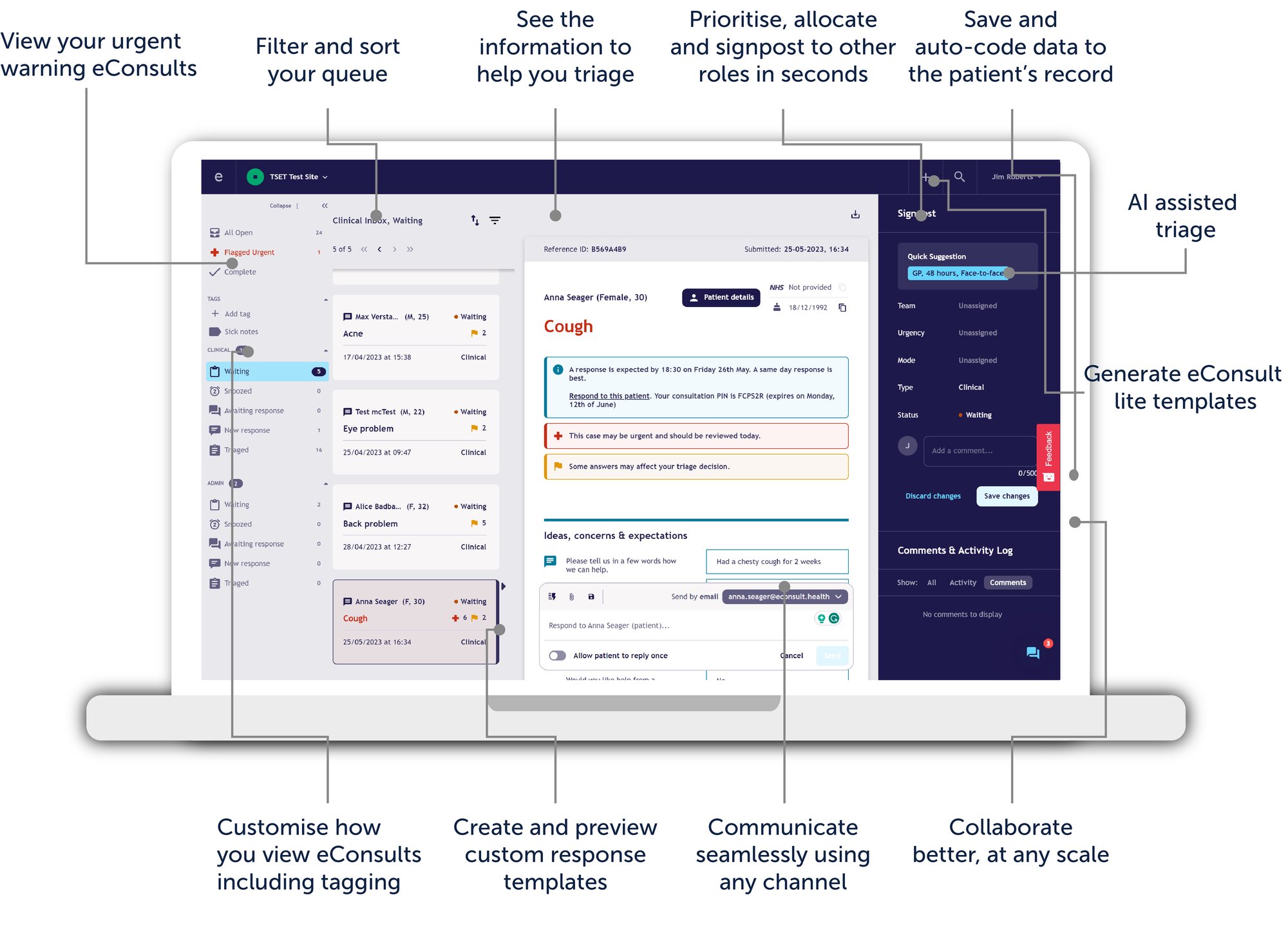
Smart Inbox annotated 2023-03


Systems and Infrastructure

It could be argued that this is the most critical component of your eHub, as the eHub will simply not function without the correct technology. General practice is now very much dependent on clinical systems and they are essential for safe and effective care.

Systems and Infrastructure Introduction

How long will it take and who is involved?

Planning of systems and infrastructure will require input from a minimum of IT Lead, GP Lead and an Operational Lead. Depending on the type of eHub you create this can take a few weeks or a month or more.

Why is it important?

It is vital to plan for the systems and infrastructure to ensure efficient and smooth running of the eHub. Also this will ensure that there is no delay with the launch of the eHub.

How to get started:

As a general rule you will need:

  • Software
    • Virtual Private Networks (VPNs) - to enable remote access to the HSCN or alternatively you could use Virtual PCs (vPC)
    • Clinical system (such as EMIS, SystmOne etc.)
    • Smart Inbox
    • Microsoft Teams (or similar)
    • eHub website
  • Hardware
    • WiFi
    • Desktop computers at sites - connected to HSCN (Health and Social Care Network) or laptops
    • Phones and headsets

This will be discussed in greater depth in this section.

Top tips:

Planning this part early will help prevent delays and frustrations.

Schedule time with your senior team and IT lead to develop your gap analysis. Plan what you need and the size of the set up required.

Software and Safe System Set Up


How long will it take and who is involved?

Setting up should involved the IT Lead. The time to complete this is dependent on the number of laptops required.

What is involved?

Each laptop will need the following installed:

White background

VPN or VPC - In most cases this tends to be Cisco Any Connect which can be downloaded here for EMIS Secure Remote Access VPN Client. For more details and instructions on EMIS Now - this requires EMIS Now login.


White background

Clinical System - For Emis you can use the installer files. For more details and instructions on EMIS Now - this requires EMIS Now login.

For SystmOne you can access a guide through the help centre on the SystmOne program. 


White background

Security and Virus Software - There are multiple anti-virus programs you can add to a computer and it is essential to safely use a computer.  We would recommend Kasperksy or Bitfefender. You may need to whitelist EMIS, eConsult and NHS Digital domains to ensure it doesn't block updates. We would also recommend using Bitlocker encryption to secure your device.

White background

Smartcard software - Identity Agent is required to access the NHS Spine - it can be downloaded and installed from the NHS digital website*. Access to the spine is needed for the eReferral service and Electronic Prescription Service. 

Install the downloaded smartcard software in the following order:

1. Extract gem_middleware folder > install Gemalto classic client 6.1 patch 3 x64 version
2. NHS digital IA
3. NHS Credential Manager

*You can only access this site on the HSCN so you will need to have your VPN and/or VPC connected to the HSCN before you start.

Note: It is best to start with the VPN client as you may require to access this to access the other pieces of software.

Why is it important?

Setting up your own laptops is a solution to increase capacity at short notice but is not without risk. The risks are mainly around ensuring robust security. These laptops will contain special category data (such as patient data). Therefore, you need to think carefully about the potential risks. You are only as secure as your weakest link, which is usually your users. It is essential to do a Data Protection Impact Assessment.

Procurement of hardware and tech through the ICB can be a slow process, potentially leading to delays in launching the eHub. Doing your own technical set up can circumvent this.

Top tips:

You need to consider:

  • The risks involved
  • The expertise you might need
  • The hardware specifications to function successfully
  • Software required
  • Virus and malware protection
  • Access Controls
  • Virtual Private Networks
  • Business Continuity
  • Data Protection

Only take this route if you and your practices are willing to shoulder the responsibility of a data incident as a result of an error. If you have the right expertise it is perfectly safe to do it.


Virtual PC Versus Virtual Private Network

How long will it take and who is involved?

The planning and organising for the Virtual PC (VPC) or Virtual Private Network (VPN) should involve the IT Lead and take approximately two weeks. However, this is dependent on the number of PCs required to set up.

What is involved in the set up?

White background

Virtual PCs (VPCs)

VPC is essentially a PC within a computer. You have a programme on your PC that contains a virtualized windows PC in it. This enables you to utilise existing hardware laptops you may have or even those personally owned by you team members at home. Because VPCs are run off remote servers by another provider, such as Amazon or Microsoft.

VPCs can be deployed at a push of a button to both Mac and Windows computers and can enable a quick set up, therefore can be useful for business continuity.

White background

Virtual Private Networks (VPNs)

If you are using laptops to access clinical systems then you will need some form of Virtual Private Network (VPN). These are secure and hidden “tunnels” into an internet network. In this case that network is the Health and Social Care Network (HSCN). They protect you from prying eyes and hackers.

Why is it important?

Without a VPC or VPN you are reliant on someone having a physical laptop set up. You will not be able to access you clinical systems remotely and would have to relay in a site based eHub.

How to get started:

Start by researching the two options to find out what will be most appropriate for your eHub. Following this contact your local ICB to discuss options and costs.

  • VPC
    • There are lots of providers of vPCs such as Amazon Workspaces, Citrix Workspaces, VMWare Horizon Client, Microsoft vPC to name a few.
    • What specifically you will need is one configured to access the Health and Social Care Network (HSCN) to be able to use NHS software. 
  • VPN
    • There are essentially two types of access to VPNs using dual factor authentication.
      • Hard tokens - a physical token that you get a code from, which are more secure but are at higher risk of getting misplaced, you cannot help someone who has done this unless you have a Virtual PC option.
      • Soft tokens (usually and app on your phone). The former are more secure but are at higher risk of getting misplaced. You cannot help someone who has done this unless you have a Virtual PC option.
You will also have to think about training materials and what support service you might need to help when you have IT issues. In most situations it will be your ICB IT provider.

Top tips:

Make sure you have all the software you need on the VPC/ VPN and have a clear process for ensuring this is updated. You will need some or all or the following on each:

  • Clinical System
  • Identity Agent - for smartcards
  • Gemalto Middleware
  • eConsult toolbar
  • Microsoft Office
  • Microsoft Teams

Consider whether the eHub should utilise some PCN funding from the new digital transformation role.


Install of Clinical Systems

How long will it take and who is involved?

The planning and organising for the clinical systems should involved the IT Lead and take approximately two to three weeks.

What is involved in setting up clinical systems?

Clinical systems are the core component of an eHub. Therefore, it's important to look at your gap analysis in detail to work out what you need for your particular eHub. All eHubs are different so the information below is not exhaustive.

As a general rule this is a decision that is dictated by what system you already have and will be one of EMIS, SystmOne or Vision.

eHub Clinical System - Shared Practice System.drawio

Shared practice based systems

This is where your eHub team access medical records through the same instance that the base practice uses. This means that staff can operate as they would at any practice and can refer, order bloods, use referral forms etc. in each practice's clinical system. This can be done rapidly by just creating new users and setting up smart cards for access.

Consider what login profiles you want to give staff members it is beneficial to agree this collectively across the practices. 

You may want to create a Terms of Use document so eHub staff know what they should and should not do within a practice system. This may form part of your SOP.

eHub Clinical System - Community Hub.drawio

“Community” systems

This is a shared service, which is its own instance and separate from the practices, each practice has a data sharing agreement with this instance and eHub staff and see into the practice record and write into it.

You will need a prescribing cost centre code and spurious code, without this you cannot implement prescribing of smartcard access. The cost centre code assigns a prescribing costs to your new service and a spurious code enables a prescriber to have an additional code, that assigns the prescribing cost to the new centre. 

You can submit your request for a cost centre code here. Your spurious code request can be requested here. Return both forms via email.

Why is it important?

Planning and implementation of a clinical system that is fit for purpose for an eHub is essential to enable a smooth flow of information between the eHub and the host practice. Without this, sharing of eHub information can potentially cause frequent delays and risk information not being passed through to the practice from the eHub, due to manual intervention and potential human error.

You can submit your cost centre code here. Your Spurious code request can be requested here. Return both forms via email.


Top tips:

Make sure you test your components. Keep them updated and always have a clinical system section in your Business Continuity Plan.


Set up of Microsoft Teams

How long will it take and who is involved?

Setting up MS Teams should involved the IT Lead and take less than an hour.

What is involved?

The eHub needs some form of communication tool. Fortunately everyone has access to MS Teams. This can be used for operational meetings, clinical and governance meetings.

Whilst this is probably already being used by your teams a less well used function is the Teams spaces you can create. A “Team” is a space with a set group of individuals who have access to that space. A “channel” is a subset of this team so you can create different areas within that Team, with different members if you wish. 

This is particularly useful for things like clinical questions between clinicians (taking care to follow IG guidance). Technical queries is another area that is useful to have as is a document repositories for guidance and minutes etc.

The overall benefit is that it is searchable, creates a sense of community and helps you keep track of the eHub as a whole.

Why is it important?

Good internal communication is essential during the transformation phase pre-go live and once the eHub is up and running.. Additionally, teams can be used to communicate feedback and results. Without communicating through teams (or similar) risks actions being missed and important information not being communicated.

How to get started:

You will need to have someone with a 'Local Administrative' role. This might be your IT lead or you may have to contact your IT provider/CSU. A detailed guide can be found here. 

Top tips:

Like any tech it can take some adoption but if you make time to do this from the start, and not mid way through the project, then you will find it easier. It’s about creating a habit.

Teams has some really great applications that can be used, such as:

  • Decisions - enables you to create agendas and minutes as well as track tasks
  •  Tasks by Planner - brings together your individual tasks from To Do and Outlook with your team tasks from Planner; so you can more efficiently cross them off your lists
  • Shifts - part of the MS suite - great for rota management of team members

The are other options of course, for example Slack or WhatsApp would be other examples, but these do not come under the protection of the NHS estate.


Hardware Set Up

Phones

How long will it take and who is involved?

Setting up of phones should involve the IT Lead and take less than an hour.

Why is it important?

Due to the eHubs remote set up, telephone infrastructure is crucial. Without this there will be no secure communication capability.

How to get started:

Have a look at your existing infrastructure. Your basic options are:

  • Utilise cloud telephony - the 2023/24 GP Contract requires practices to have this in place. It enables remote workers to use the same service and gives greater performance management capability. There is less requirement for physical phones.
  • Utilise current analogue landlines - Works best for those using and on premise eHub. Adding a dedicated line.
  • Utilise existing mobiles - but hide caller ID (this is a good option for business continuity planning). However this may incur a personal expense to users.

Once you have made a decision you need to decide:

  • If a public facing eHub contact number or a bypass number is required
  • How many lines are required

Top tips:

Consider whether you need associated peripherals such as headsets.


What next?

Icons_2021-96

Design and Build

Having completed the planning stage it is time to start designing and building your eHub. This design phase requires the most input from your teams, which is critical to lay the foundation for success with your eHub implementation.

Icons_2021-88-1

Implementation

Once the eHub design is finalised, you are ready to start implementation aligned to your current Standard Operating Procedures (SOPs).

Icons_2021-86

Review

Following the implementation of your eHub, reviewing the progress and performance is vital for success!  The review section includes the Project closure and monitoring phase.